
A text editor that keeps up
Quillpad opens large files quickly, colours more than 100 languages and remembers your unsaved work between sessions. Free and open source for Windows and Linux, written in Rust.
Features
Tabs and split view
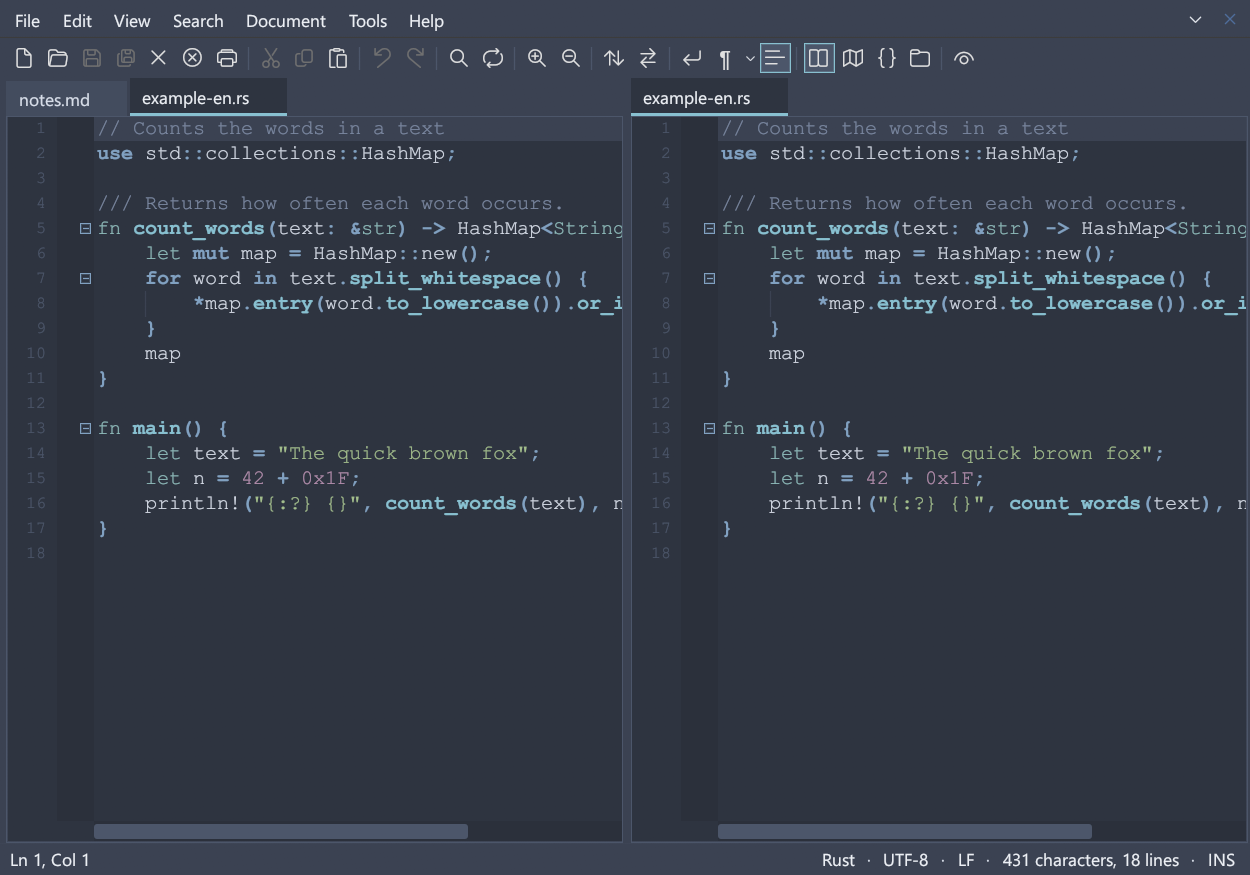
Any number of tabs, two panes side by side with synchronised scrolling, and sessions that bring back every tab, including unsaved text.
100+ languages
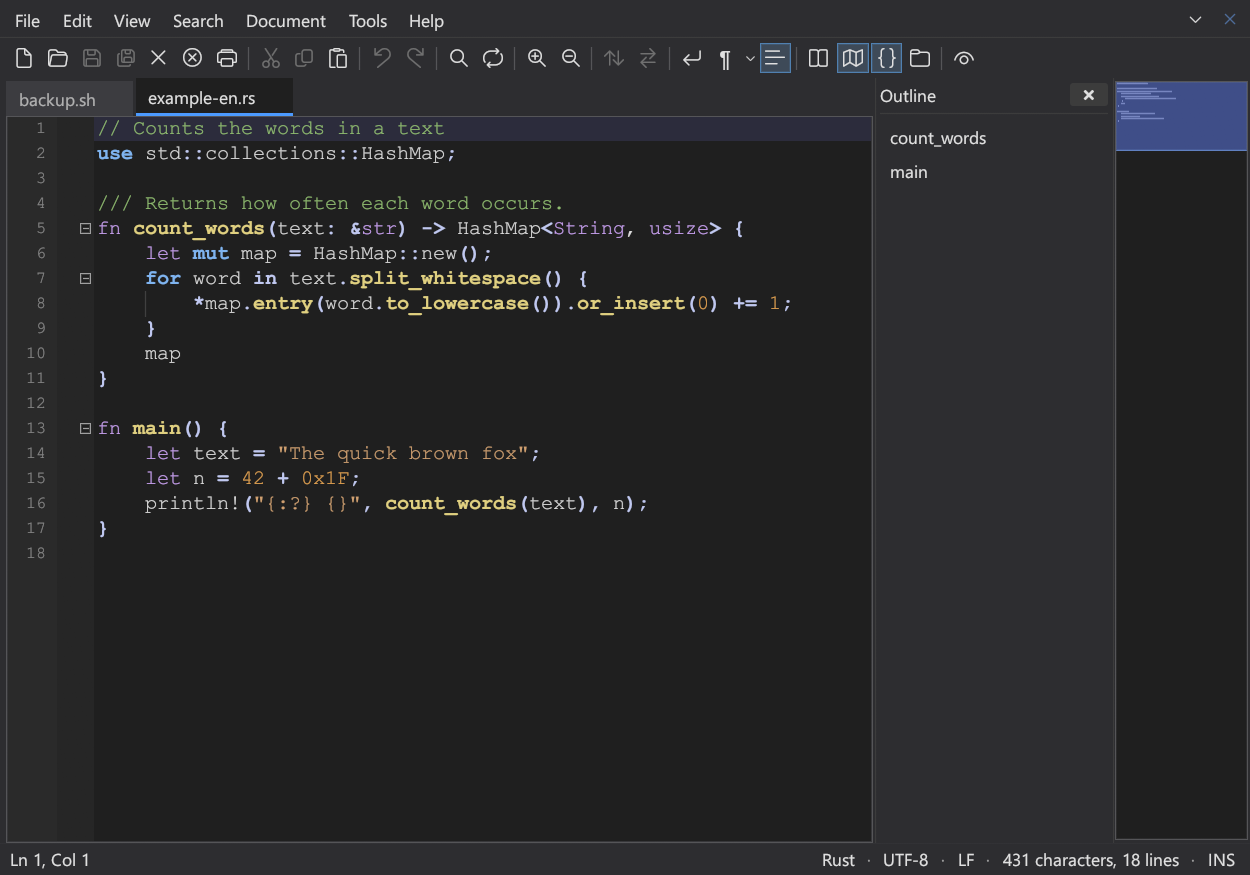
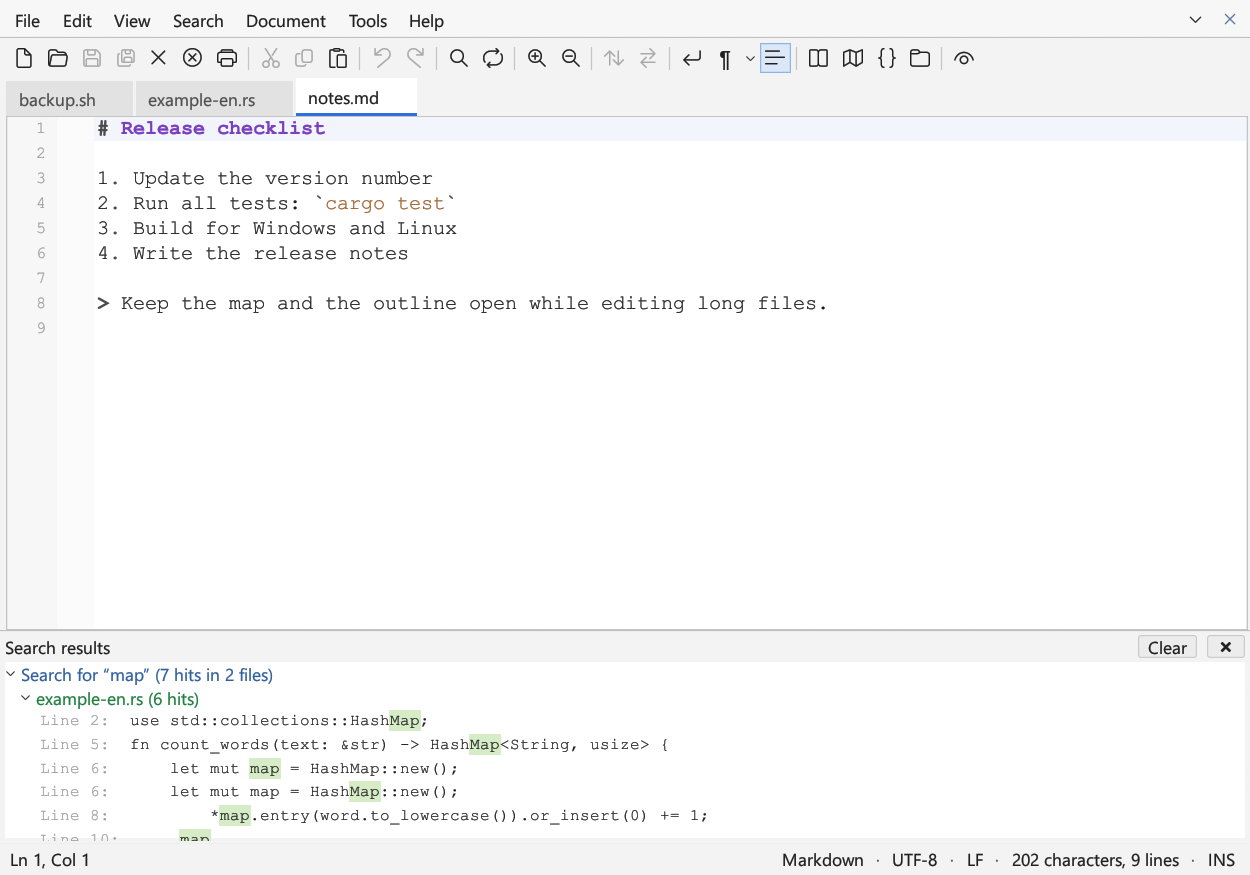
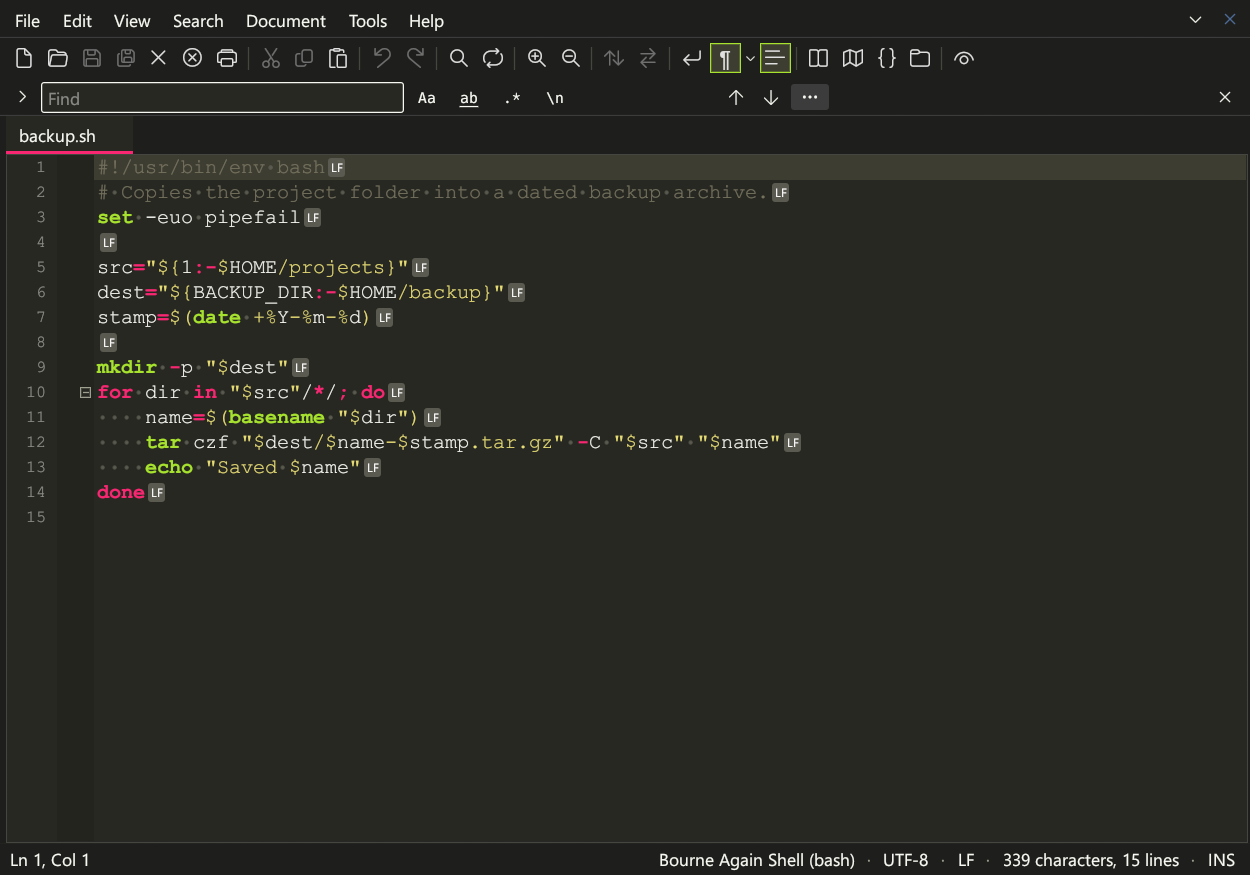
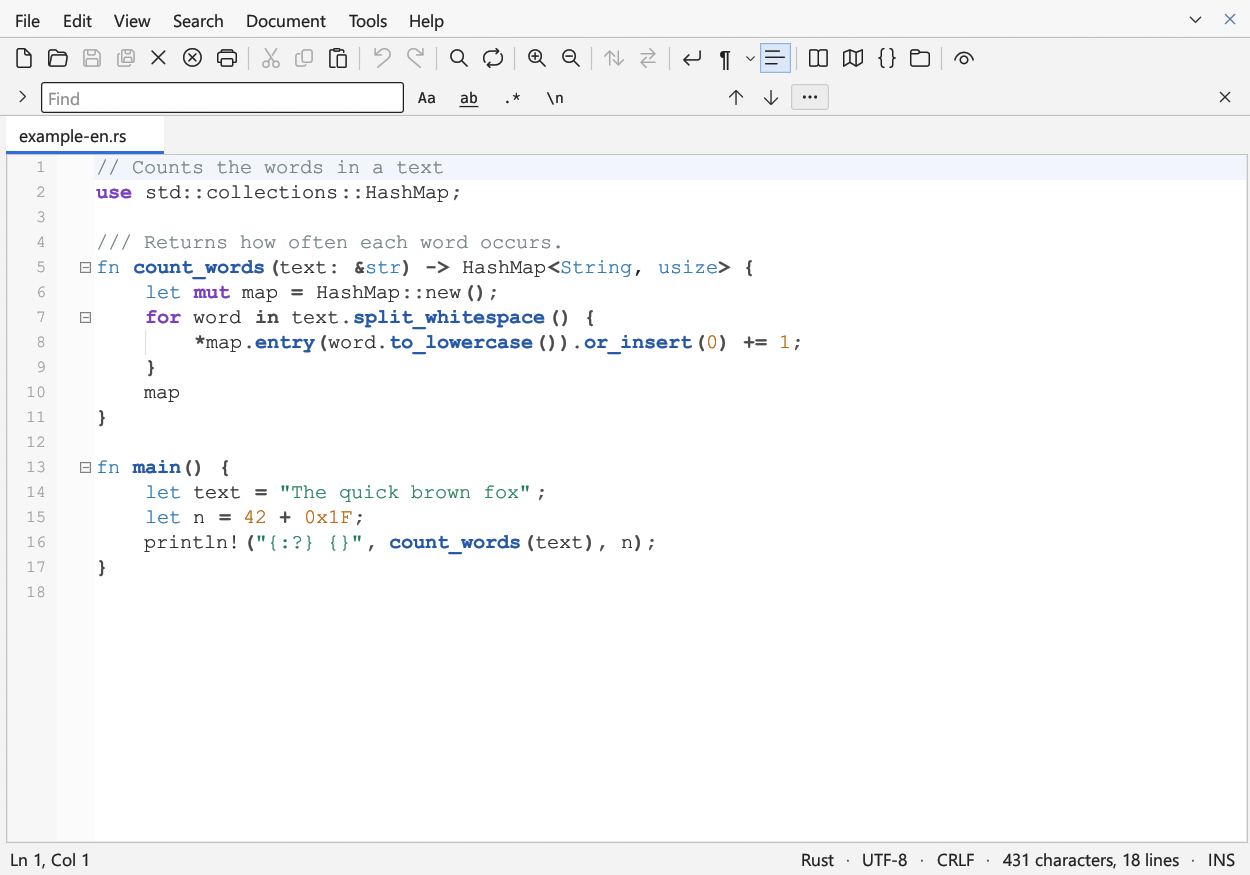
Syntax colouring from the file name or the first line (#!/bin/bash, <?xml), plus folding, an outline of functions and an overview map.
Search bar
A live match counter while you type, case and whole-word switches, regular expressions and \n-style escapes. Find and replace across whole folders.
Editing tools
Multiple cursors, block selection, bookmarks, line tools (duplicate, move, join, sort), comment toggling, word completion and number sequences.
Your file stays your file
UTF-8, UTF-16, ANSI and many legacy character sets, and the line endings are kept exactly as they were when you save.
Printing
Print straight from Quillpad with a page preview: syntax colours tuned for white paper, line numbers, header and footer, a selection only, paper size and two-sided printing.
CSV tables
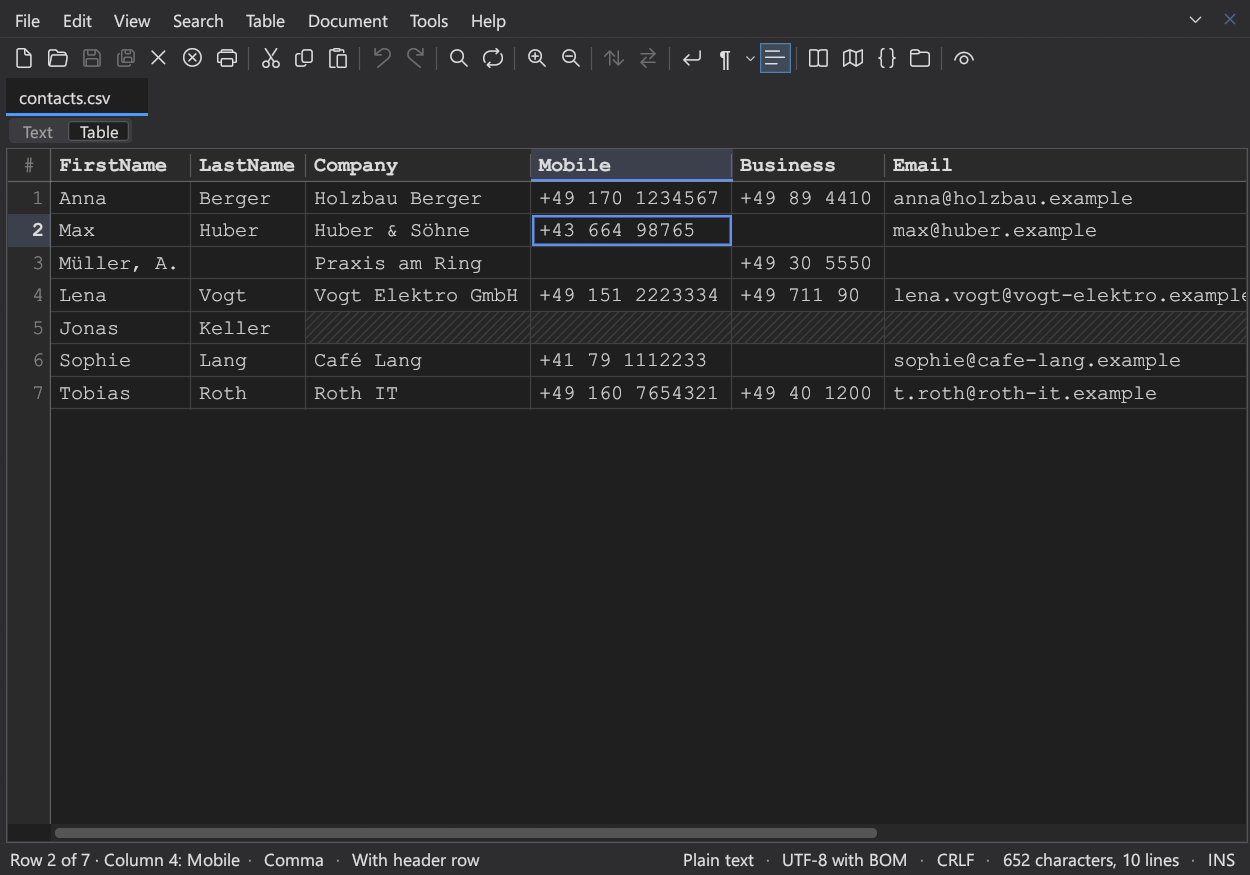
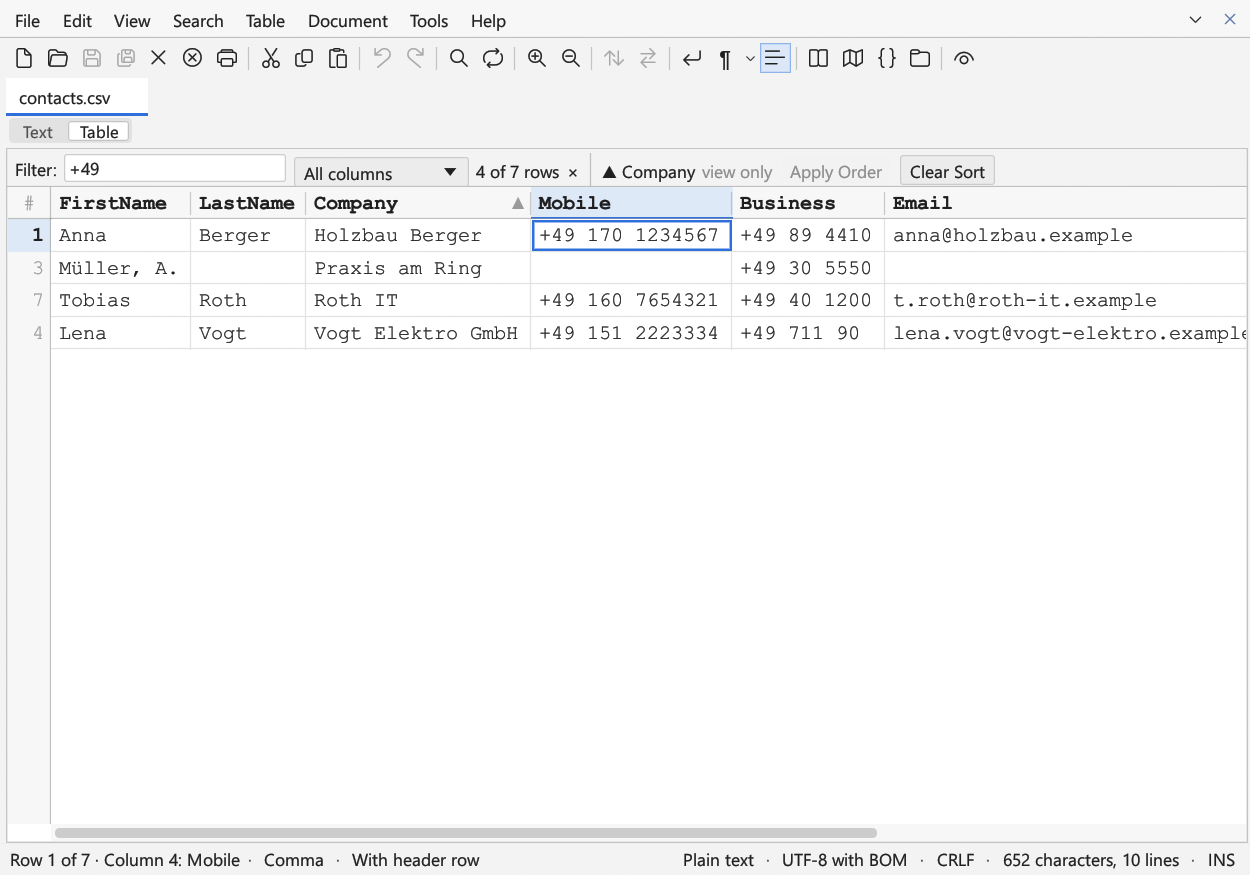
CSV and TSV files open as a table: edit cells, insert, delete and move rows and columns, filter and sort. Delimiter and header are detected automatically, and the file stays untouched outside the fields you edit.
Large files
Text is held in a rope and coloured piece by piece, so big files stay responsive. Unsaved work is backed up every few seconds.
Three languages
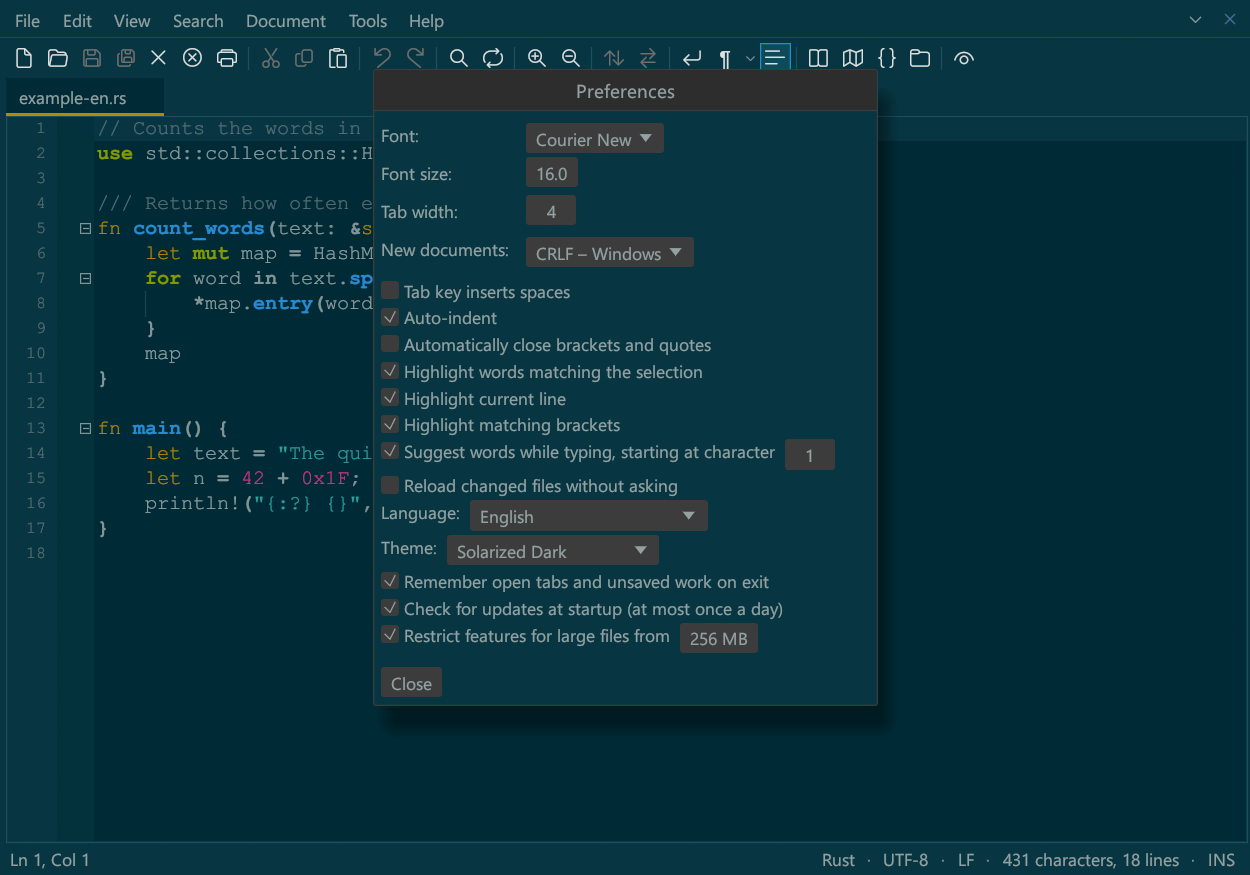
The interface follows your system language – English, German or French – and can be switched at any time. Shortcuts are shown the way your language writes them.
Fits in
Installer with Start menu entry, “Open with” and an optional “Edit with Quillpad” context menu; on Linux a menu entry via install.sh.
Stays current
A small notice tells you when a new version is out on GitHub. It checks at most once a day and can be turned off.
CSV files as a table
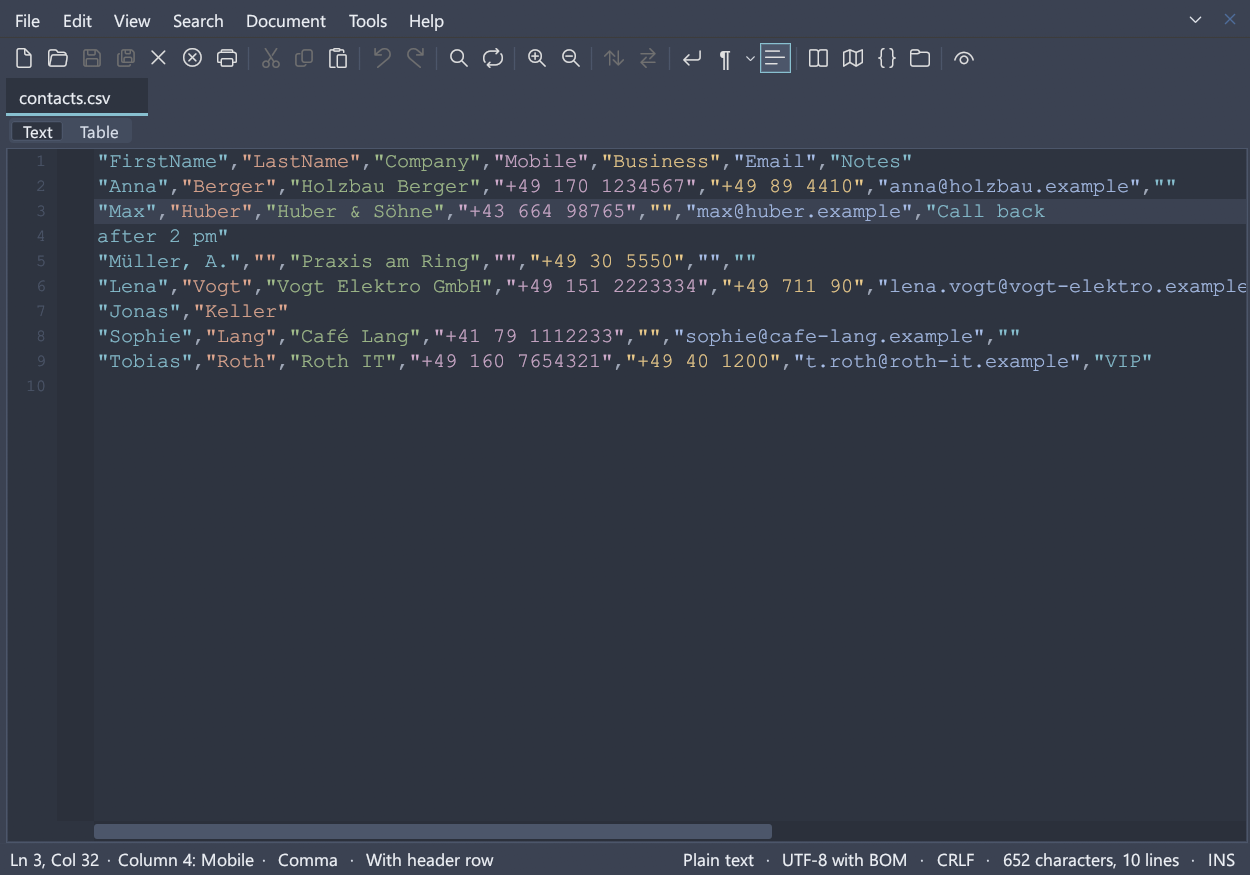
Open a CSV or TSV file – a phone book export, a database dump – and Quillpad shows it as a table. Delimiter and header row are detected, cells are edited in place, rows and columns can be inserted, moved and deleted. Sorting and filtering only change the view until you choose to write the new order into the file. One click switches back to the plain text, and outside the fields you edit the file stays exactly as it was.
Screenshots
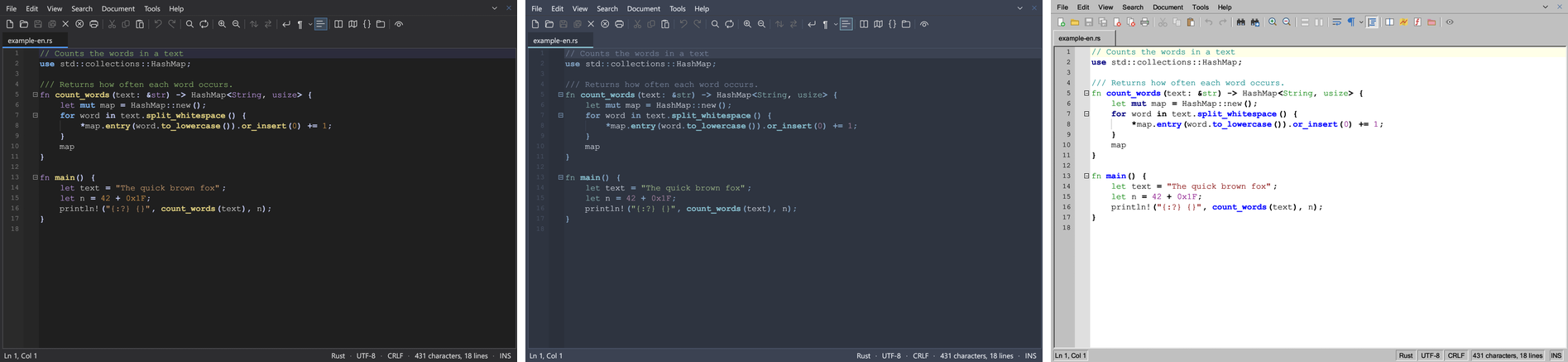
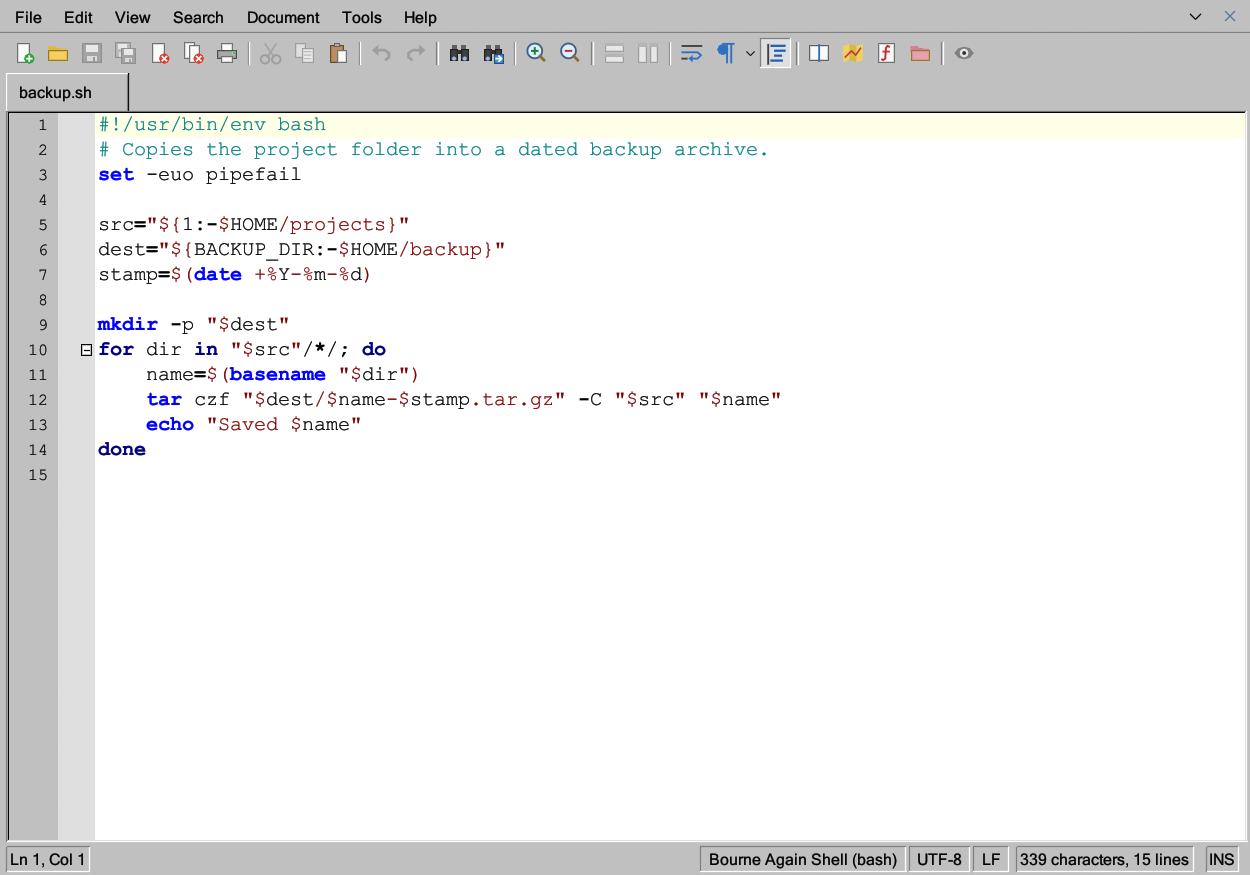
Nine colour themes
- Light
- Dark
- Solarized Light
- Solarized Dark
- Nord
- Monokai
- Sepia
- High contrast
- Windows 98
Handy shortcuts
| Ctrl+F | search bar with live counter |
| Ctrl+H | replace |
| Ctrl+Shift+F | find in files |
| F3, Shift+F3 | next / previous match |
| Ctrl+G | go to line |
| Ctrl+B | jump to the matching bracket |
| Ctrl+F2, F2 | set / jump to bookmarks |
| Alt+0 | fold everything |
| Ctrl + click | add another cursor |
| Alt + drag | block selection |
| Ctrl+D | duplicate line |
| Ctrl+Shift+Up | move line up (Down: down) |
| Ctrl+Q | toggle comment |
| Ctrl+Space | complete a word from the document |
| Alt+C | insert a number sequence |
| Ctrl+Tab | next tab |
The full list is under Help → Keyboard Shortcuts.
Download
Windows 10 and 11
quillpad-…-windows-x64-setup.exe installs Quillpad without administrator rights, with Start menu, “Open with” and an optional context menu entry.
Or take the single portable .exe.
Linux (64-bit)
Unpack quillpad-…-linux-x64.tar.gz and run ./install.sh; Quillpad then shows up in the application menu. Needs glibc 2.39 or newer (Ubuntu 24.04, Debian 13, Fedora 40).
Build it yourself
Install Rust from rustup.rs, then run cargo build --release in the source folder.
The programs are not signed, so Windows SmartScreen asks for confirmation on the first start (“More info” → “Run anyway”). Checksums are attached to every release.