
Every service a network job needs, in one file
tftp-NG is a portable successor to tftpd64: TFTP, HTTP, Syslog and DHCP/ProxyDHCP in a single executable for Windows and Linux. Use the GUI for quick jobs on site, or run it headless in scripts. Free and open source, written in Rust.
Features
TFTP
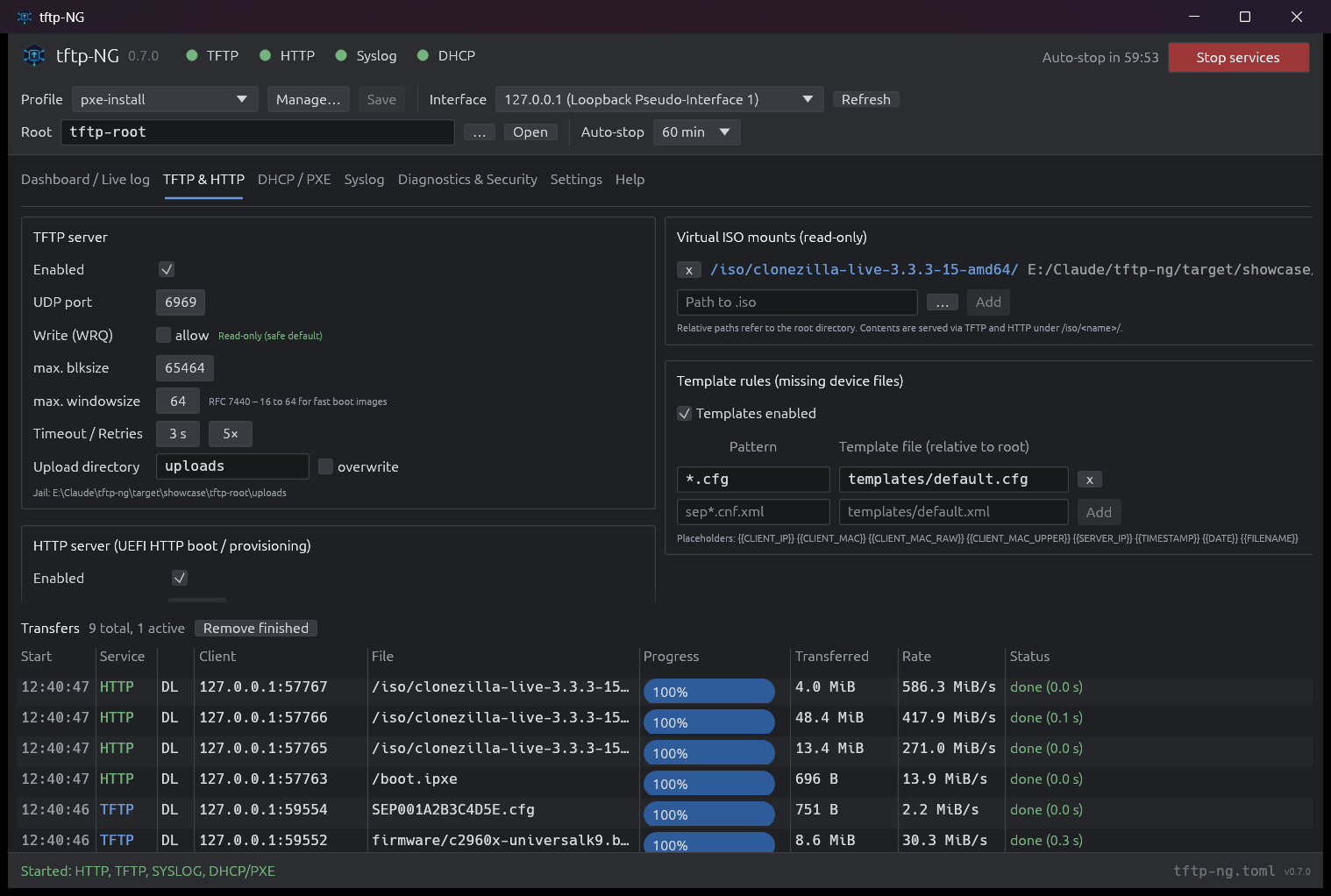
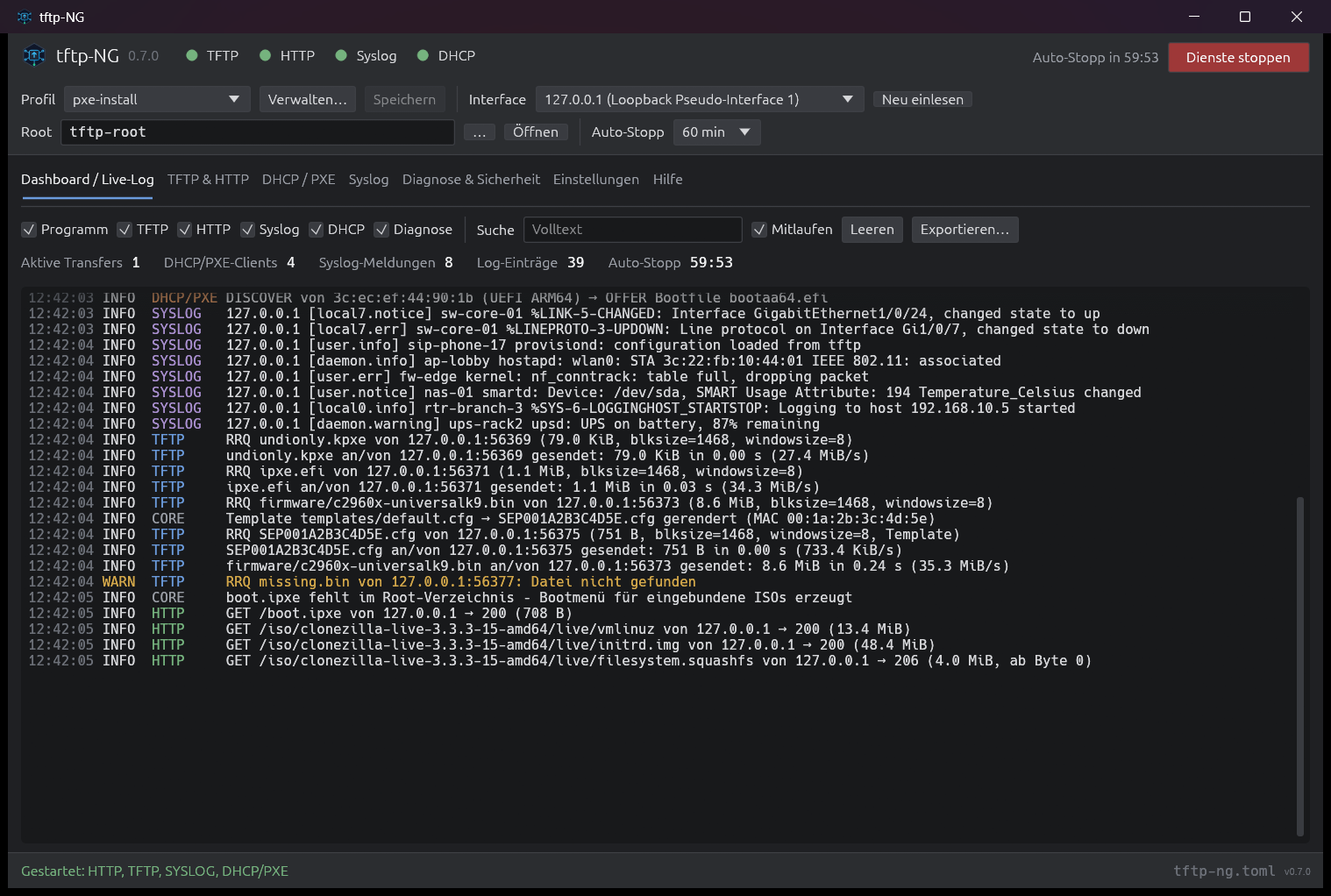
RFC 1350 with blksize, tsize, timeout and RFC 7440 windowsize for fast boot images. Read-only by default, uploads only into a separate folder, protection against path traversal.
HTTP
Serves the same files with Range requests and directory listings, for iPXE and UEFI HTTP boot. Uploads by PUT or POST can be switched on.
DHCP and ProxyDHCP
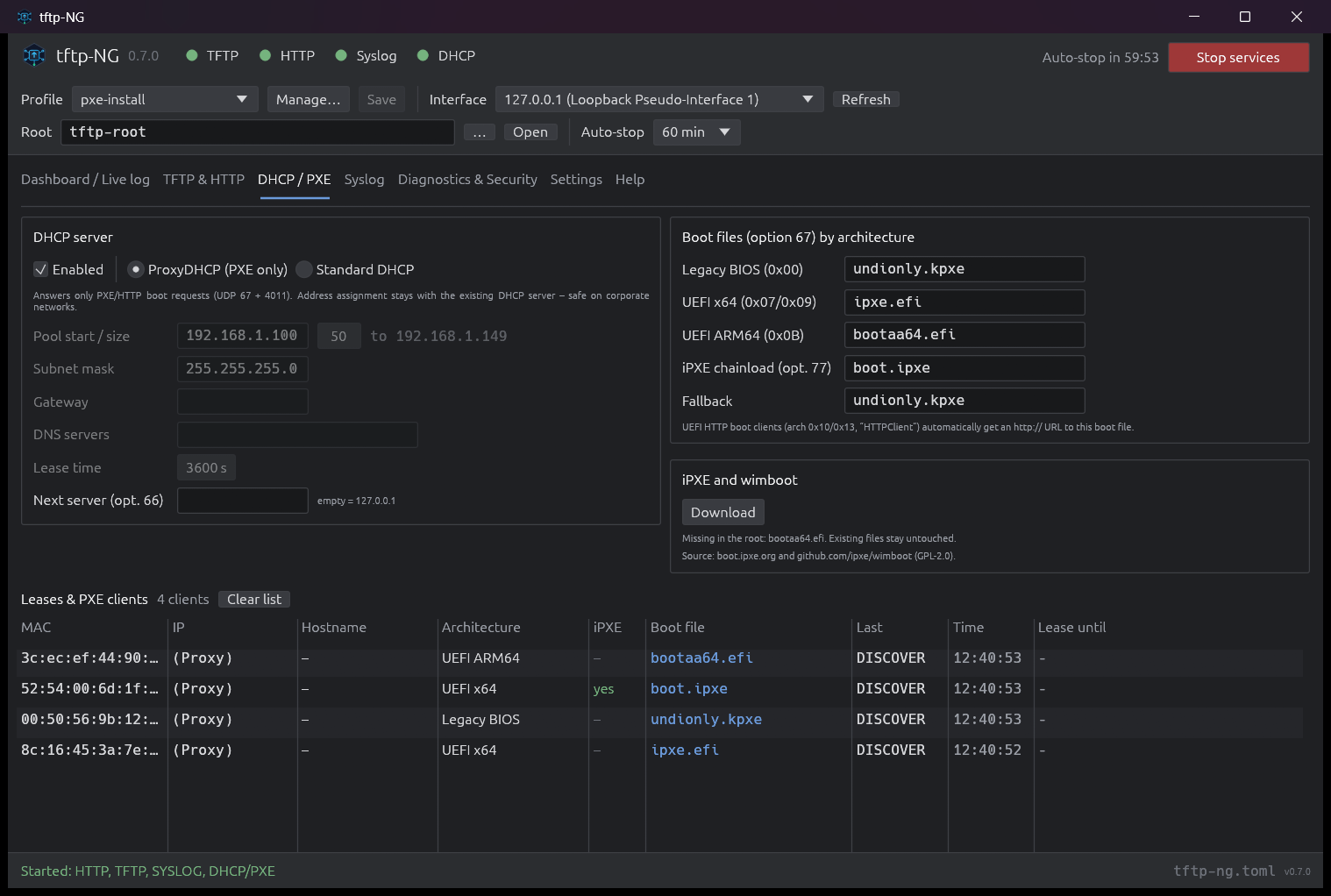
ProxyDHCP leaves address assignment to the existing DHCP server and only hands out boot server and boot file. Standard DHCP with its own pool is there for isolated networks.
ISO images without extracting
Mount .iso files (ISO9660, Joliet, Rock Ridge, UDF) and serve their contents under /iso/<name>/ via TFTP and HTTP.
Syslog
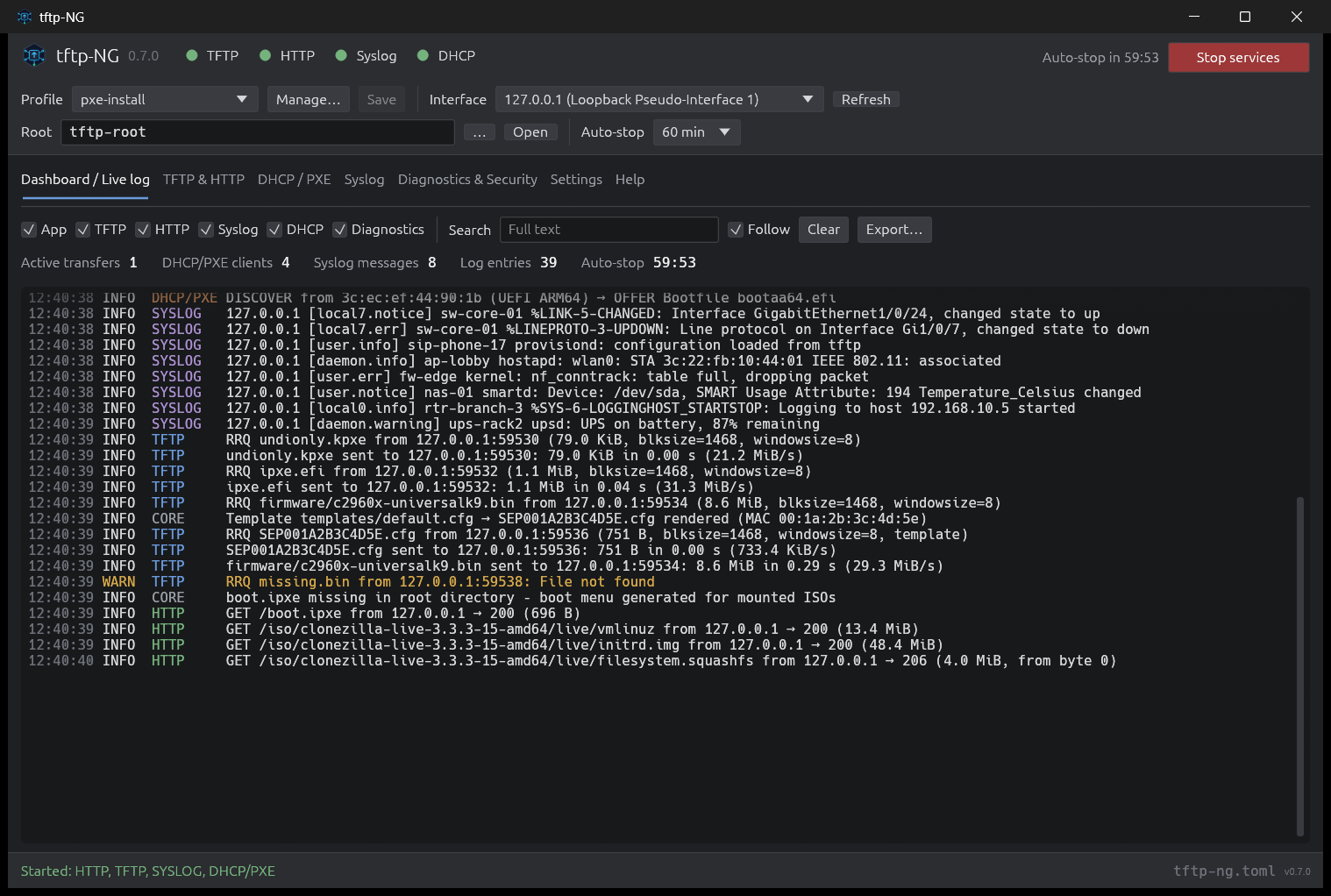
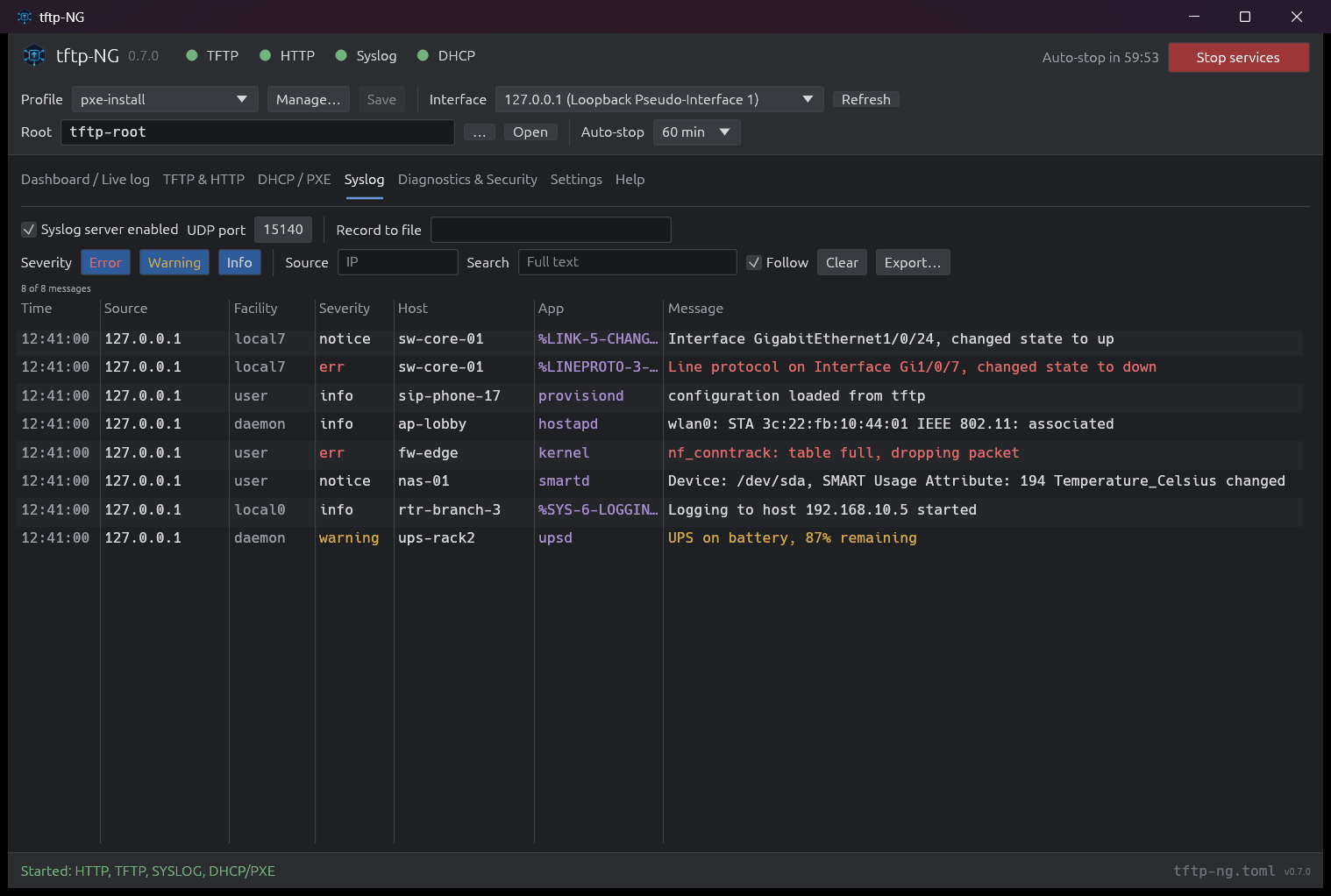
Receives RFC 3164 and RFC 5424 messages, filters by severity, source and full text, exports the list and records to a file if you want.
Templates
Missing device files such as SEP<MAC>.cnf.xml or <MAC>.cfg are rendered from templates on request, with client IP, MAC, server IP and date filled in.
Self-check
Finds foreign DHCP servers with MAC and vendor, port conflicts and firewall rules, and runs a TFTP test over loopback before you start in an unfamiliar network.
Safeguards
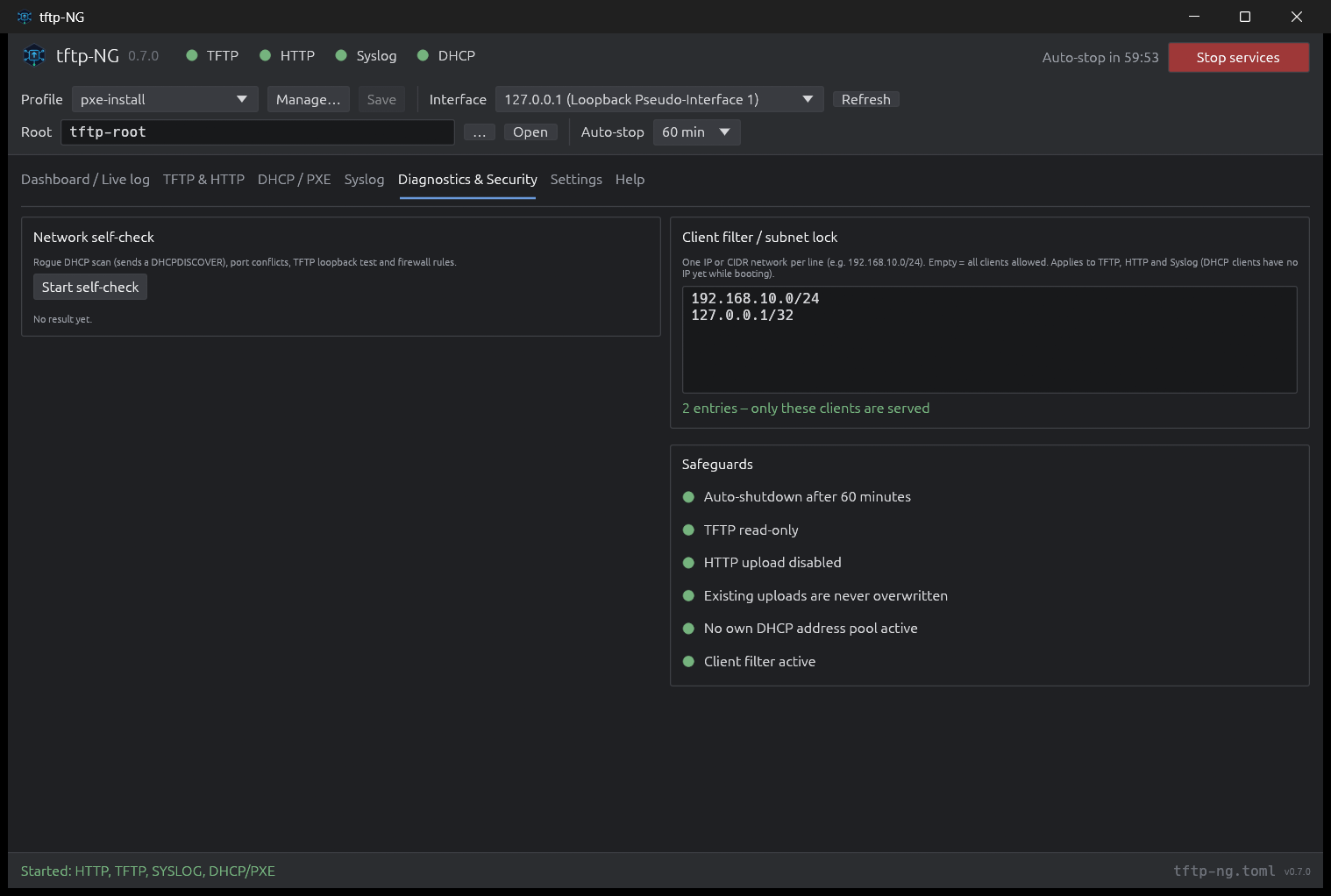
An auto-stop timer, a client filter by IP or CIDR network, and uploads that never overwrite existing files. Standard DHCP switches to ProxyDHCP when another DHCP server answers.
Profiles
Five built-in profiles: plain TFTP, PXE install, VoIP provisioning, router recovery and Syslog collector. Everything lives in one tftp-ng.toml next to the program, so it fits on a USB stick.
Network boot with an automatic menu
tftp-NG picks the boot file by client architecture: Legacy BIOS, UEFI x64 and UEFI ARM64 each get their own,
and a client that is already running iPXE gets the boot.ipxe script. If you have not written a
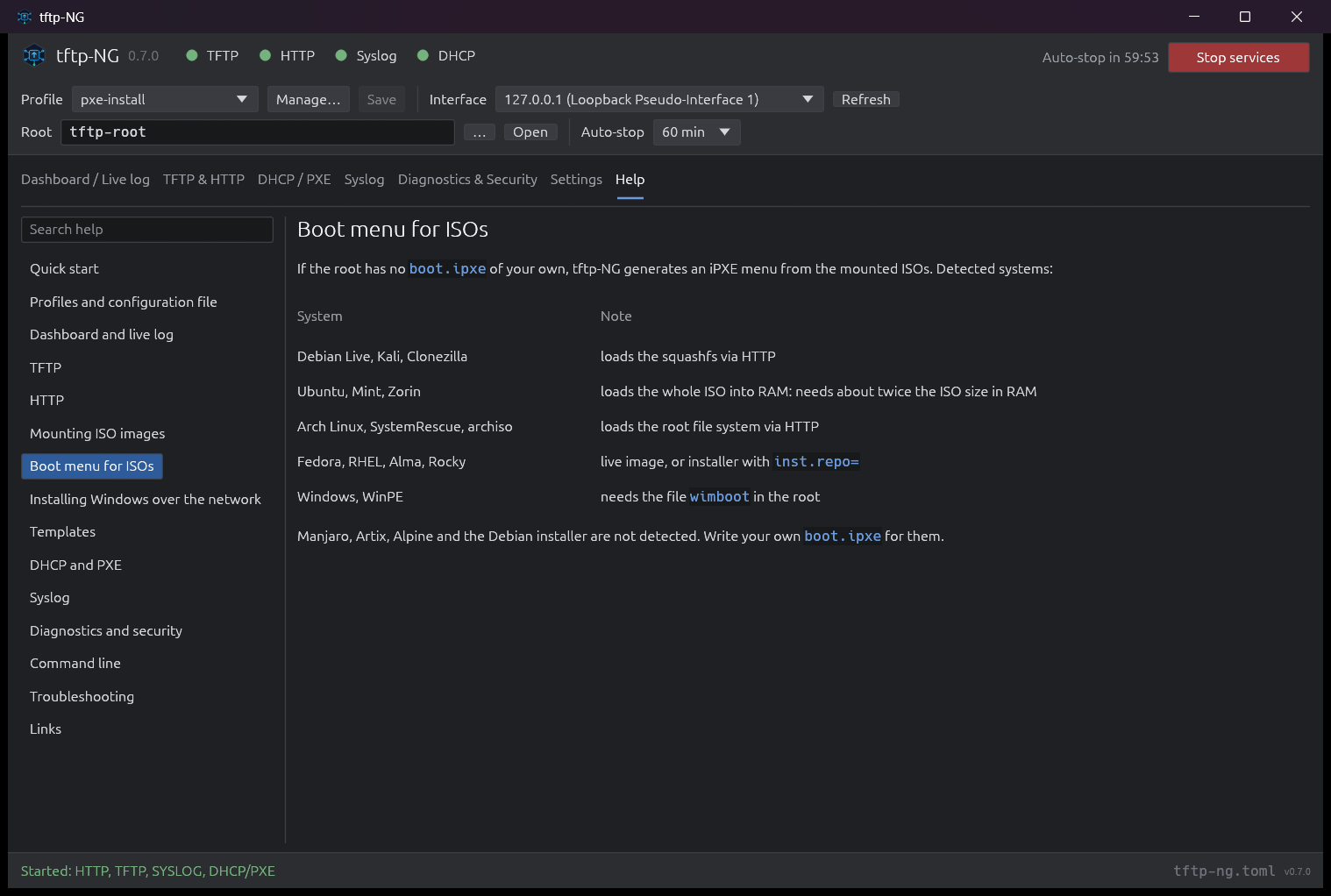
boot.ipxe of your own, tftp-NG generates an iPXE menu from the mounted ISOs. It detects Debian Live,
Kali and Clonezilla, Ubuntu, Mint and Zorin, Arch Linux and SystemRescue, Fedora, RHEL, Alma and Rocky, and
Windows or WinPE through wimboot. One click downloads the iPXE boot files and
wimboot from boot.ipxe.org and GitHub; files already in the root are never replaced.
Screenshots
Command line
The same executable runs without a window, for servers, scripts and containers.
tftp-ng                         # GUI
tftp-ng --headless              # services without GUI, until Ctrl+C or auto-stop
tftp-ng --headless -p pxe-install -i 192.168.10.1 -r /srv/tftp --auto-shutdown 60
tftp-ng --probe                 # self-check; exit code 0 = OK, 1 = warnings, 2 = errors
tftp-ng --list-profiles         # list profiles
tftp-ng --list-interfaces       # the system's IPv4 interfaces
tftp-ng --download-ipxe         # missing iPXE boot files and wimboot into the root
tftp-ng --lang en               # language: auto, de or en
Download
Windows x64, installer
tftp-ng-windows-x64-setup.exe installs for all users with a Start menu entry and, if you like, the Windows Firewall rule. The configuration is kept per user in %APPDATA%\tftp-NG.
Windows x64, portable
Unpack tftp-ng-windows-x64.zip and start tftp-ng.exe. The configuration stays next to the program, ready for a USB stick.
Linux x64 with GUI
tftp-ng-linux-x64.tar.gz. The GUI uses the system's X11 or Wayland and OpenGL libraries.
Linux x64 headless
tftp-ng-linux-x64-headless-musl.tar.gz: fully static, without GUI, for servers and containers.
Build it yourself
Install Rust from rustup.rs, then run cargo build --release in the source folder.
The Windows executable is not signed, so SmartScreen asks for confirmation on the first start
(“More info” → “Run anyway”). On Linux, ports 67, 69 and 514 need root or
sudo setcap 'cap_net_bind_service=+ep' ./tftp-ng. Checksums are attached to every release.